
Why is my Google Business Profile not generating leads?
By James Roberts • September 19, 2026
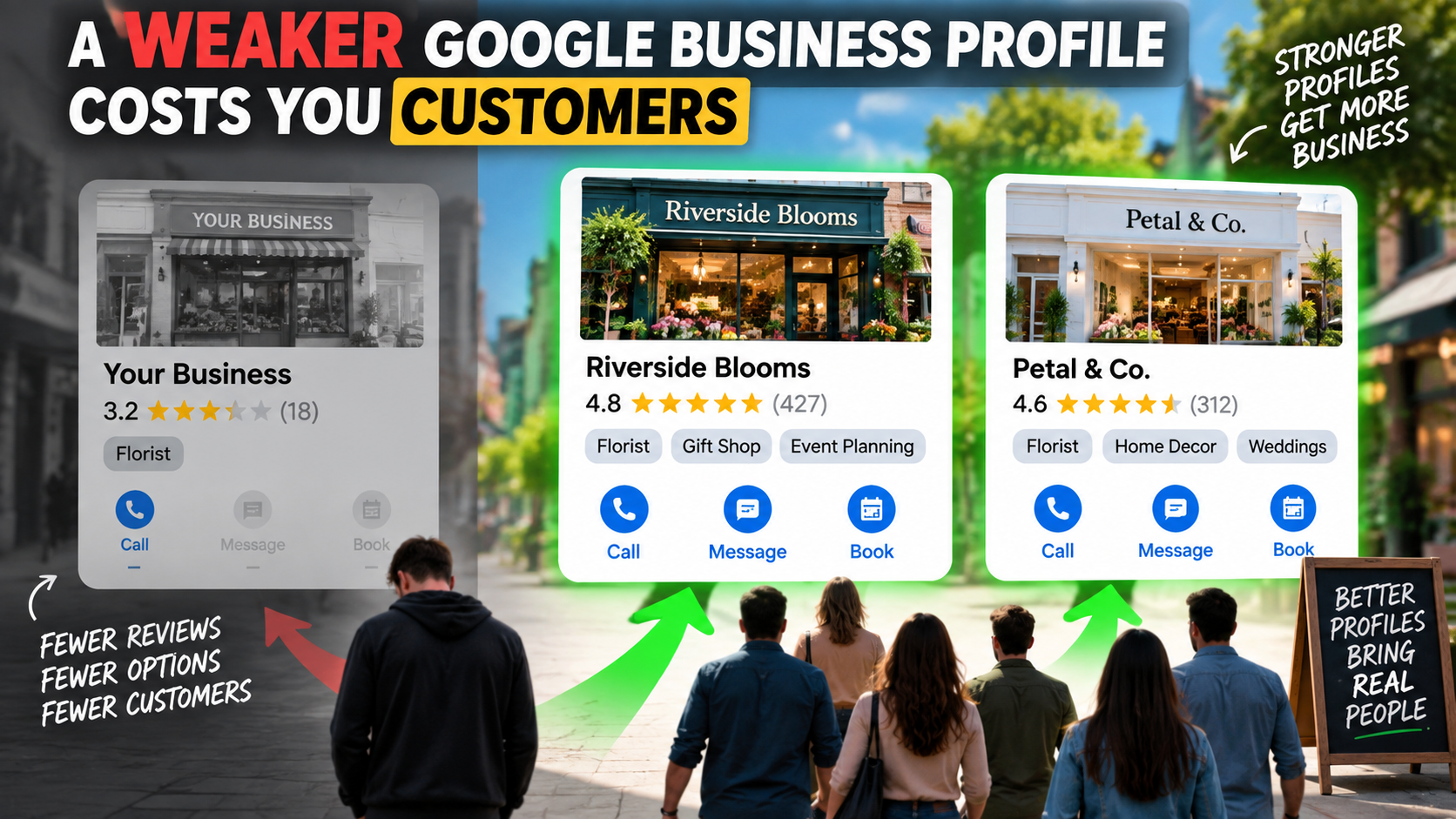
This is a subtitle for your new post
If your Google Business Profile is getting views but not turning those views into calls, messages or bookings, there are usually a few basic things to check first.
For most local service businesses, the problem comes down to three areas: visibility, trust and making it easy for people to contact you.
Your Google Business Profile should not just sit there as a place for reviews and directions. When it is set up properly, it can become one of the strongest parts of your local marketing.
Here are some of the main areas to look at.
1. Increase Your Visibility With More Categories
One of the first things to check is how many categories you have claimed on your Google Business Profile.
Many businesses only have one.
For example, a plumber may simply be listed as:
Plumber
But that same business may also offer:
- Drain laying
- Gas fitting
- Hot water cylinder work
- Water softeners
- Other plumbing services
If those services match relevant Google Business Profile categories, adding them can help your business appear for more local searches.
Think of it like a horse race.
If there are 20 local competitors and you only have one category, you have one horse in the race.
But if you genuinely qualify for five or six categories, you suddenly have more chances of appearing in the top three map results.
And if you are not appearing in the top three, there is a good chance many potential customers simply will not see you.
The first thing to do is open your Google Business Profile and check your categories and services. You can also look at strong local competitors to see what categories they appear under.
Only add categories that genuinely match what your business does.
2. Make Sure Your Website Supports Those Categories
Adding categories by itself is not enough.
Your website should support what you are telling Google.
If your Google Business Profile says you provide water softeners, but there is nothing about water softeners anywhere on your website, the information does not match.
Ideally, your main services should have clear pages on your website.
For example:
Google Business Profile Category: Gas Fitter
Website: A clear page explaining your gas fitting services
This gives Google more confidence that the category is relevant to your business.
Your Google profile and your website should tell the same story.
3. Look at Your Profile From the Customer’s Point of View
Once people find you, the next question is:
Do they trust you enough to contact you?
Potential customers are comparing your business with the others shown next to you.
One of the biggest things they compare is your reviews.
Look at the top local competitors in your category and compare:
- How many reviews they have
- How recent those reviews are
- What customers actually say
- Their overall rating
If your business has seven reviews after 14 years and another local company has 60 or 100 recent reviews, the customer may feel safer contacting the competitor.
That is why a review system is so important.
4. Turn Happy Customers Into Digital Word of Mouth
Reviews are digital word of mouth.
A happy customer who leaves a useful review can continue helping your business long after the job is finished.
The strongest reviews usually explain:
- What problem the customer had
- What you did
- How well you communicated
- Whether you arrived on time
- Whether you kept things clean and tidy
- What the final result was
That information helps the next customer make a decision.
You can make it much easier for customers to leave reviews by using:
- QR codes
- Email follow-ups
- Text messages
- Links on invoices
- Links in email signatures
- Review cards
The easier you make the process, the more likely customers are to actually do it.
If you want to check the basics across your profile, use the Google Business Profile checklist:
https://jamesroberts.co.nz/gbp-checklist
5. Keep Your Opening Hours Accurate
Your normal opening hours and special holiday hours matter.
Google wants to give people reliable information.
If your business says it is open and a customer turns up to find it closed, that is a poor experience.
Google may also ask you by email whether your business is open on public holidays.
Do not ignore those requests.
A simple job you can do once a year is list all the national and regional holidays that affect your business and update your special hours in advance.
Then tell Google whether you are:
- Open
- Closed
- Working reduced hours
It is a small task, but it gives Google more reliable information about your business.
6. Make It Easier for People to Contact You
Not everyone wants to pick up the phone.
Some people prefer:
- Text messages
- Messaging
- A booking form
- A contact page
- A phone call
Your Google Business Profile can provide more than one way for people to take the next step.
If you have a contact page on your website, you can use that link as a booking or enquiry option where available.
If messaging is available for your setup, add it.
The goal is simple:
Remove as much friction as possible.
If someone wants to contact you, do not make them hunt around your website looking for a phone number or form.
7. Think of Your Google Business Profile as the Hub
Your Google Business Profile should sit at the centre of your local marketing.
People might first find you through:
- Google Ads
- Your website
- A referral
- Social media
- A local search
But before contacting you, many will still look at your Google Business Profile.
They want to check your reviews.
They want to see whether you are open.
They want to know what services you provide.
They want to know whether you look trustworthy.
So improving the profile can help you get more value from marketing you are already paying for.
You may not need more traffic.
You may simply need to convert more of the traffic you already have.
Conclusion
If your Google Business Profile is not generating enough inquiries, start with the basics.
Look at your visibility.
Check your categories.
Make sure your website supports those categories.
Compare your reviews with your competitors.
Create a proper review system.
Keep your hours accurate.
And make it as easy as possible for people to call, message or book.
Your profile should help customers answer three questions:
Can I find you?
Can I trust you?
Can I contact you easily?
Get those three things right and your Google Business Profile has a much better chance of turning local searches into real inquiries.
If you want to see what may be holding your profile back, you can also start with a FREE Google Business Profile audit:
https://www.jamesroberts.co.nz/free-gbp-audit
The blog structure, resource linking and metadata requirements follow the supplied content brief.
Latest Episode
Insights to fuel your business
Get insights, trends, and more in your inbox.
And the most asked question video every Tuesday at 7am
Blog Form
We will get back to you as soon as possible.
Please try again later.
James Picks
SHARE THIS