
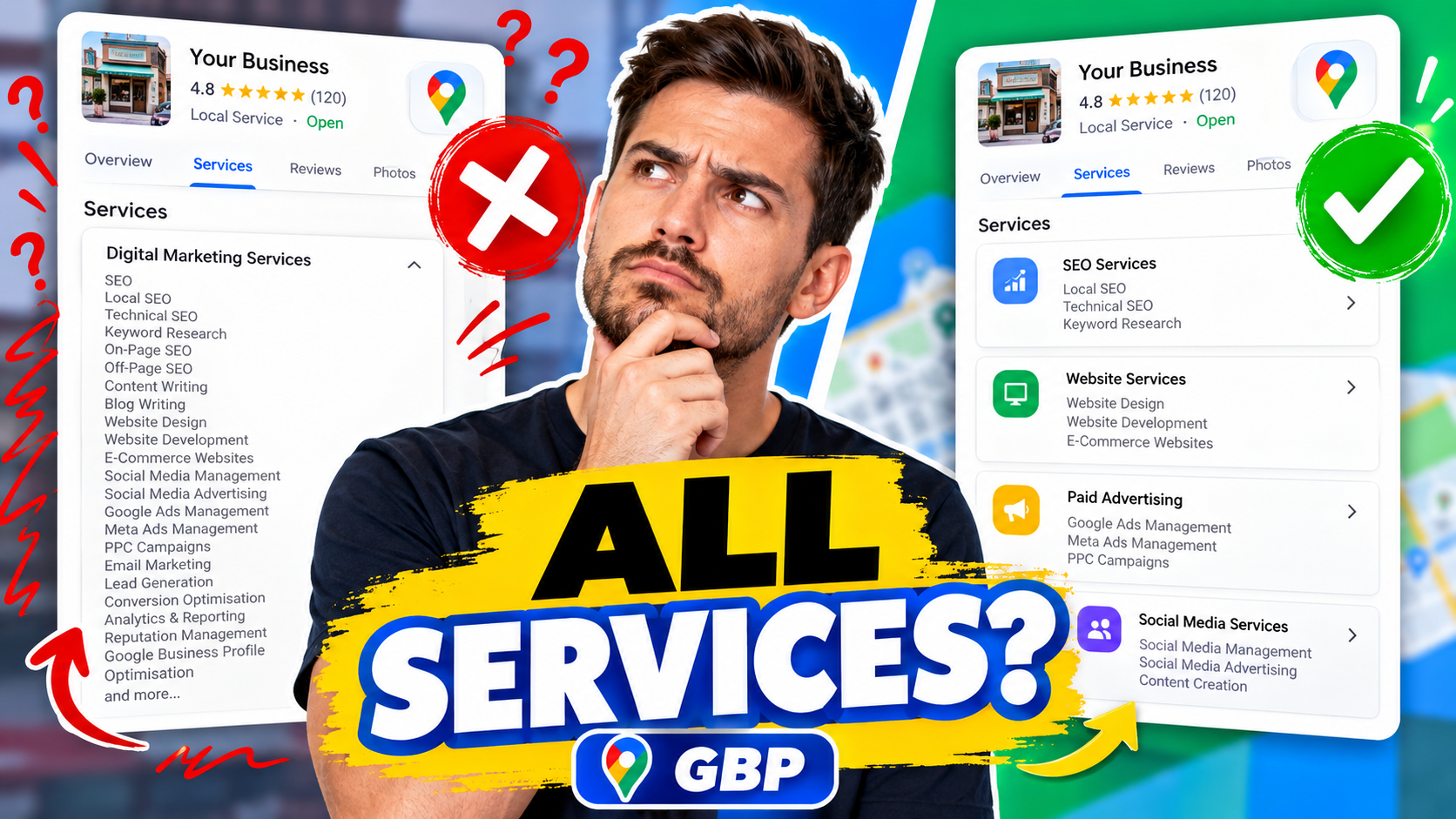
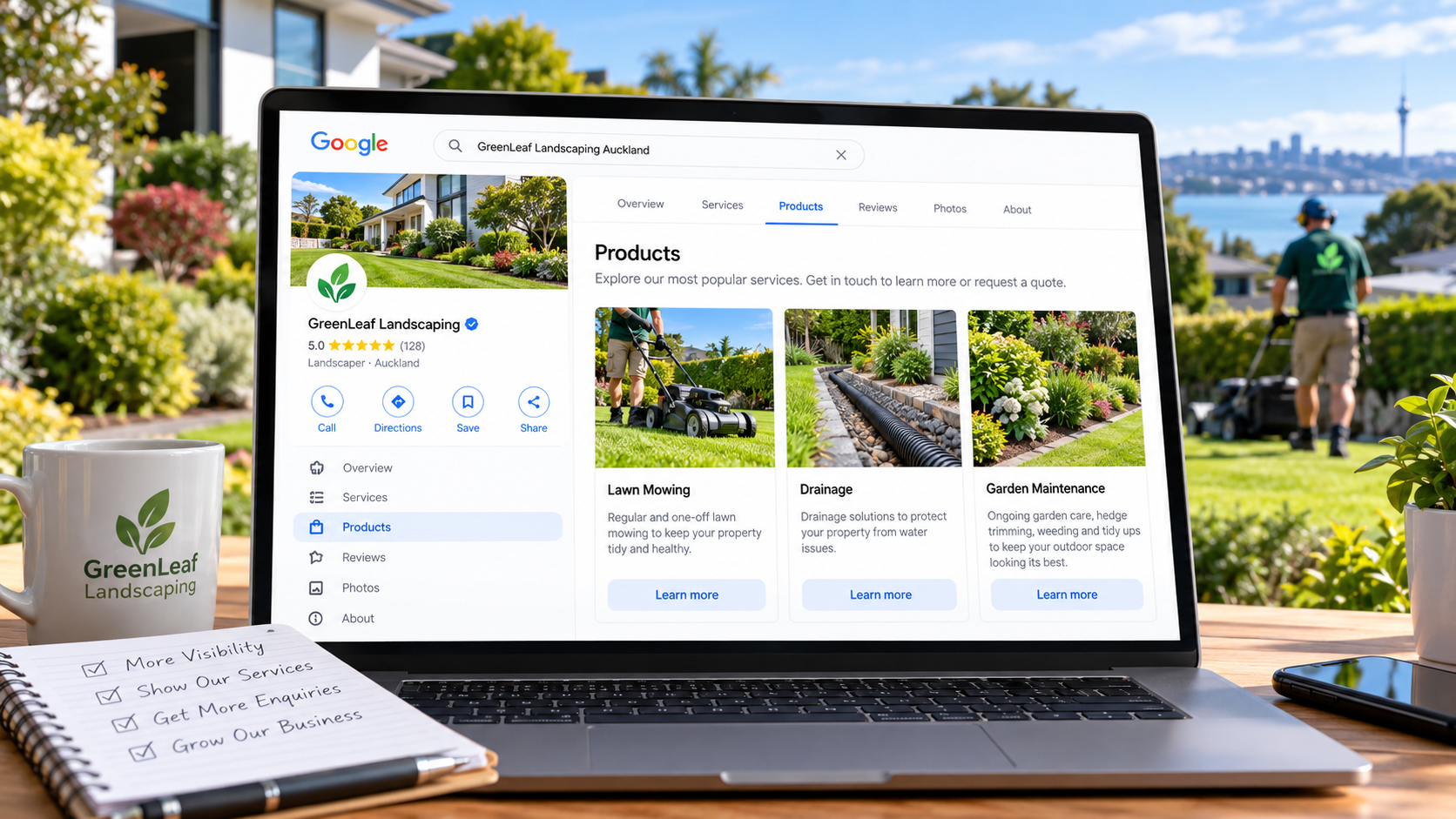
If you run a service business, you might have noticed the Products section on your Google Business Profile and wondered whether you should be using it. After all, products are normally associated with physical items. If you're a plumber, electrician, landscaper, cleaner or another service provider, you might assume this feature isn't relevant to your business. But there's an important marketing principle here: your services are also products that customers buy. When available and appropriate for your business profile, the Products feature can give you another way to present what you offer, explain the benefits to customers and direct interested people towards relevant pages on your website. Used properly, it can help you create a more informative Google Business Profile and make it easier for potential customers to understand why they should choose your business. Let's look at how it works. 1. What Is the Products Section on Google Business Profile? Google Business Profile provides several ways to tell customers about your business, including categories, services, photographs, reviews and, for eligible profiles, products. A product listing can include: A photograph representing your product or service. A product name and category. A description explaining what you offer. A link to a relevant page on your website, where supported. A call-to-action button, such as Learn More, where available. Many business owners overlook this area because they assume it's only intended for businesses selling physical goods. However, where Google makes the feature available and permits the type of listing, it can offer a useful way to showcase a service. For example, a landscaping company might use a visually appealing photograph of a professionally maintained garden to demonstrate its lawn care offering. Instead of simply listing "Lawn Mowing", it can explain the experience and benefits of having someone else take care of the garden. The important distinction is that you're not just describing a service. You're presenting something that solves a customer's problem. It's worth noting that the Products feature isn't available to every business, and Google has specific policies for product listings. Service businesses should use the dedicated Services section as their primary way of listing services. 2. Connect Your Google Business Profile Categories and Services One of the most common mistakes I see when auditing Google Business Profiles is businesses that haven't properly organised their categories and services. Google allows businesses to select a primary category and, where relevant, up to nine additional categories. Imagine a plumbing business that offers: General plumbing repairs. Drainage services. Hot water cylinder installation. Gas fitting. Emergency plumbing. Rather than relying on one broad category, the business should review whether additional categories accurately describe the work it actually carries out. It should then organise its services beneath the appropriate available categories. Your categories help explain what type of business you operate, while your services describe the individual jobs you perform. For businesses with access to suitable product listings, these can provide another customer-facing opportunity to highlight important offerings. The key is consistency. Don't claim services or categories simply because Google makes them available. Select the ones that genuinely represent your business. 3. Use Product Listings to Highlight Your Most Valuable Services Not every service deserves the same level of promotion. Some services generate considerably more profit than others. Some produce ongoing work, while others attract the ideal customers you want to work with. If you're considering which offerings to feature more prominently, concentrate on services that: Generate healthy profit margins. Attract your ideal customers. Have strong local demand. Represent areas where you want to grow. Can be supported by a dedicated page on your website. For example, a gardening company might offer lawn mowing, hedge trimming, garden maintenance and complete garden tidy-ups. Instead of promoting everything equally, it might concentrate its marketing on a comprehensive garden maintenance package. This presents a more valuable offering than simply advertising an hourly lawn mowing service. And that brings us to one of the most important parts of marketing any service: how you write the description. 4. How to Write a Service Product Description That Attracts Customers When writing descriptions for services, I use a simple formula. It works because most customers aren't particularly interested in the technical details of how you do your work. They're interested in the results they will receive. My approach follows four steps: 1. The desired outcome 2. The customer's problems and frustrations 3. Your solution 4. A clear call to action Let's use a lawn mowing and gardening service to demonstrate how this works. Start With the Desired Outcome People don't necessarily want their lawns mowed. What they really want is a beautiful garden without spending their weekends maintaining it. They want time to relax, enjoy their hobbies, go fishing, watch their children play sport or simply spend quality time with their families. Your opening paragraph should connect with that desired result. Example: "Imagine enjoying your weekends without worrying about mowing lawns, trimming hedges or keeping your garden looking beautiful. Come home to a professionally maintained outdoor space and spend your free time doing the things you enjoy." That communicates the benefit rather than merely listing what the business does. Identify the Problems and Frustrations Next, explain the problems the customer wants to avoid. For gardening services, these might include: Spending hours mowing lawns. Cutting and trimming overgrown hedges. Removing garden waste. Maintaining gardening equipment. Sharpening mower blades. Finding time to keep everything looking tidy. By highlighting these frustrations, you demonstrate that you understand your customer's situation. Explain Your Solution Now introduce the service as the natural solution. For example: "Our complete garden maintenance service takes care of everything, including lawn mowing, hedge trimming, garden tidy-ups, weeding and green waste removal. We bring the equipment, complete the work and leave your outdoor areas looking their best." The customer can now see how your service removes the problems you've described. Finish With a Clear Call to Action Finally, tell the customer what to do next. Examples include: "Learn more about our complete garden maintenance service." Or: "Request your free garden maintenance assessment." Where Google provides an appropriate website link button, direct people to the relevant service page rather than sending everyone to your homepage. This helps potential customers find the information they're looking for. 5. Why Your Website Needs to Support Your Google Business Profile Your Google Business Profile and website should work together. If you're promoting drainage services through your profile, ideally you should also have a dedicated drainage service page on your website. That page should explain: The drainage problems you solve. The services you provide. The geographical areas you cover. Why customers should trust your business. How customers can contact you. Include relevant photographs, customer testimonials and examples of completed work where possible. This creates a consistent customer experience. Someone who discovers your business through Google can follow the link to your website and find more detailed information about exactly the service they're interested in. It also helps Google understand the relevance of your website to particular services, although simply adding product listings doesn't guarantee improved rankings. If you're unsure whether your profile and website contain the information they should, I've put together a Google Business Profile checklist to help you review the important areas. 6. More Visibility Is Only Half the Battle Getting your business seen on Google Maps and local search is important. But visibility doesn't automatically translate into enquiries. Think about what happens when someone searches for a local plumber. They might discover several businesses offering the same service. Before making contact, they could examine: Customer reviews and ratings. Business photographs. Services offered. Website information. How established and professional the business appears. Your aim is to make your business the natural choice. A detailed, informative Google Business Profile can help customers understand your offering and feel more confident about contacting you. Remember that your Google Business Profile doesn't charge you for organic profile clicks or calls. That makes it a valuable marketing asset worth maintaining alongside your website and any paid advertising. 7. Review Your Google Business Profile Regularly Your Google Business Profile shouldn't be something you set up once and forget about. As your business develops, your services, photographs, priorities and website content may change. Review your profile periodically to make sure it accurately reflects what you currently offer. Pay particular attention to your categories, service descriptions, website links and the services you most want to promote. If you'd like a second opinion, you can start with a free Google Business Profile audit to identify opportunities for improvement. Conclusion: Should Service Businesses Use Products on Google Business Profiles? The most important thing is to make full use of the Google Business Profile features that are available and appropriate for your particular business. Start by selecting accurate business categories, completing your Services section and making sure your website supports the work you advertise. Where suitable product-style listings are supported, they can provide another opportunity to showcase valuable offerings and communicate the benefits to potential customers. Focus on the outcome your customers want, the problems they're trying to avoid and how your business provides the solution. Because ultimately, people aren't buying a list of services. They're buying the results those services deliver.
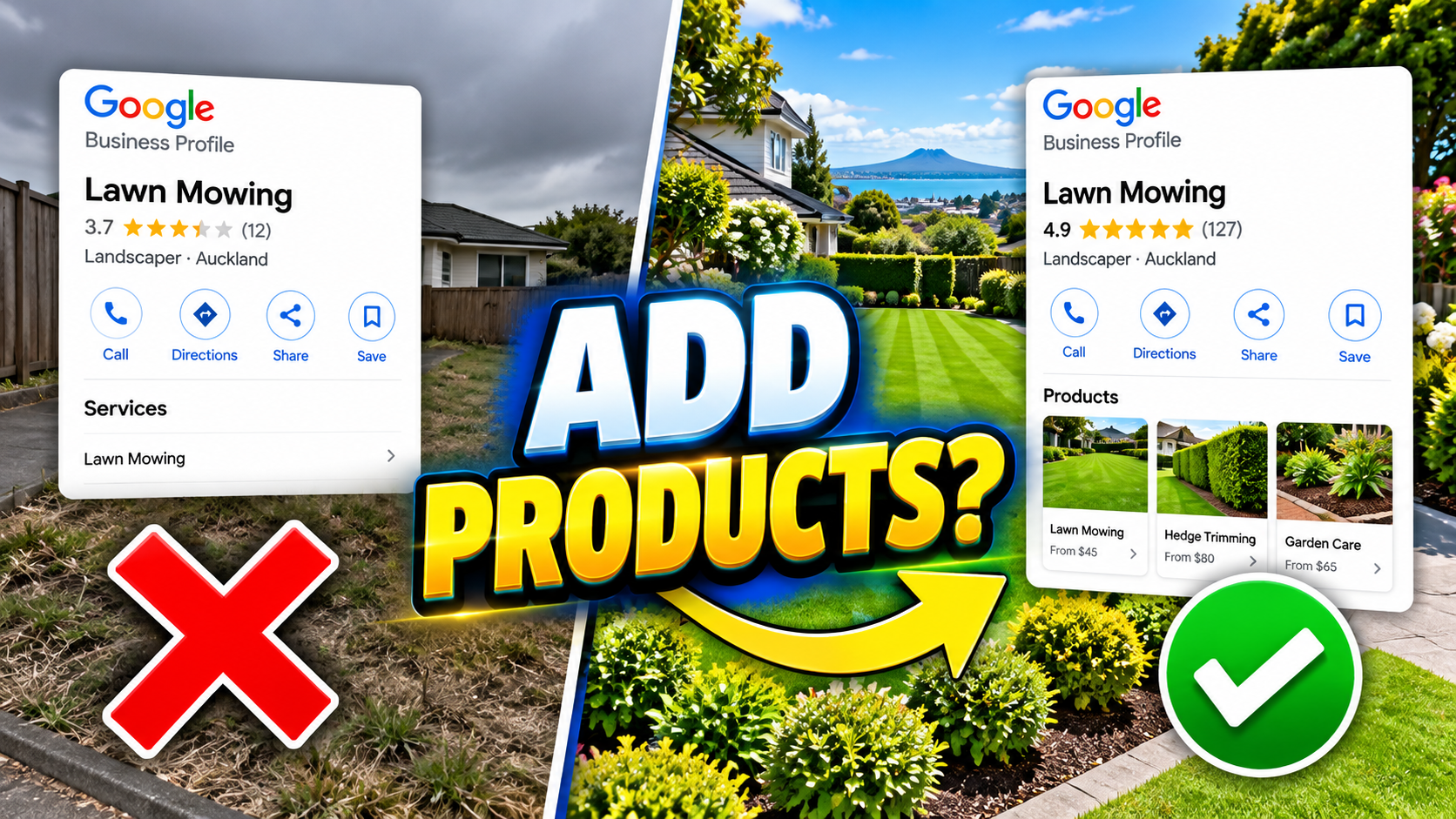
Should you add products to your Google Business Profile? If you sell physical products, the answer is generally yes. But what if you're a service business, such as a gardener, electrician, plumber or cleaning company? This is where things get interesting. Many business owners think of products as physical items, something you can pick up, put in a box and sell. But from a marketing perspective, you can also turn a service into a clearly defined package that customers understand and want to buy. For example, rather than simply offering "gardening services", you might offer a complete lawn mowing and garden maintenance package. That's effectively productising your service. However, Google distinguishes between physical products and services. Its Product Editor is designed for physical goods, while service businesses should use the Services Editor. The important thing is making sure your potential customers understand what you offer, what problems you solve and why they should choose your business. Let's look at how to do that properly. 1. Understand the Difference Between Products and Services on Google Business Profile Your Google Business Profile allows you to provide information about what your business offers. There are two important features to understand. Google Business Profile Products If you're a retailer selling physical goods, you may be able to add individual products through Google's Product Editor. Depending on the features available to your business, product listings can include photographs, descriptions and other relevant details. For example, a garden equipment retailer might showcase lawnmowers, hedge trimmers, leaf blowers and other products. These listings help potential customers understand what the business sells. Google Business Profile Services For service businesses, Google provides a separate Services Editor. This allows you to list the services your business provides, organise them under relevant categories and add descriptions or prices where available. For example, a gardening business might offer lawn mowing, hedge trimming, garden maintenance, weed control and green waste removal. You should include the genuine services your business provides rather than attempting to disguise them as physical products. The objective is the same: make it easier for customers to understand what you offer and take the next step. 2. Get Your Google Business Profile Categories Right First Before spending time improving your service descriptions, check that you've selected the most appropriate business categories. Google allows you to have one primary category and up to nine additional categories. Your primary category should describe your main business activity. Secondary categories can help describe other relevant activities your business genuinely performs. For example, a company providing several types of property maintenance might qualify for multiple categories. However, don't simply select every category you can find. Choose the categories that accurately represent your business. Then make sure your website supports those services. If you provide lawn mowing, hedge trimming and garden maintenance, your website should explain these services clearly. For more significant services, consider creating dedicated pages rather than squeezing everything into one general page. This gives potential customers somewhere to learn more about the specific work they need. 3. Turn Your Services Into Packages Customers Want Here's where I think many service businesses miss an opportunity. They describe what they do instead of explaining what the customer actually wants. Let's take lawn mowing and garden maintenance as an example. A business might describe its service like this: "We offer lawn mowing, hedge trimming, garden maintenance and green waste removal." That's accurate, but it's not particularly compelling. What does the customer really want? They probably don't wake up on Saturday morning thinking, "I'd love to buy some lawn mowing." They want the result. They want a beautiful garden without having to spend their entire weekend maintaining it. This is where my three-part approach to writing service descriptions comes in. 4. The Three-Part Formula for Writing Better Service Descriptions When I write marketing content, I think about three things: The desired outcome, the problems and frustrations, and the solution. Then I finish with a clear call to action. Part 1: Start With the Desired Outcome Rather than immediately explaining what your business does, start by describing what the customer wants to achieve. For our gardening example, that might be: "Imagine enjoying your weekends in a beautifully maintained garden, with freshly cut lawns, neatly trimmed hedges and tidy garden beds, without having to lift a finger." That's a much more appealing picture. Your customer might want to spend their weekends fishing, playing golf, relaxing with a coffee or spending time with the children. They don't particularly want to spend hours pushing a lawnmower around. You're selling them their time back. Part 2: Address Their Problems and Frustrations Next, think about everything involved in doing the job themselves. They've got to get the lawnmower out, check it's working, cut the grass, trim the edges, tackle the weeds and deal with overgrown hedges. Then they've got to clear everything away. Perhaps the green waste bin is already full. Now they're trying to squeeze branches into it, borrow a neighbour's bin or organise a separate trip to dispose of the waste. And that's before considering lawnmower maintenance, sharpening tools and storing equipment. All those little frustrations add up. Good marketing shows customers that you understand what they're dealing with. You don't need to exaggerate the problem. Just describe the genuine hassles they're trying to avoid. Part 3: Present Your Business as the Solution Now you've established the desired outcome and demonstrated that you understand the problem. It's time to explain why your business is the solution. I sometimes call this the "Yoda section". You're the experienced guide who knows how to get the customer from where they are now to where they want to be. For example: "Our experienced garden maintenance team takes care of everything, from mowing lawns and trimming hedges to removing green waste. We arrive with the right equipment, complete the work professionally and leave your garden looking fantastic." If you have relevant qualifications, insurance, years of experience or other genuine credentials, mention them. These details help build confidence. Finish With a Clear Call to Action Don't leave customers wondering what to do next. Think about what normally happens when somebody phones your business. Do you arrange a site visit? Provide an online estimate? Book an appointment? Whatever that next step happens to be, make it clear. For example: "Request a free garden maintenance quote and we'll help you get your weekends back." The call to action should lead towards the next logical step in your sales process. 5. Use Photographs That Demonstrate Your Services Photographs are particularly important for local service businesses. If you're a gardener, show the gardens you've maintained. If you're a painter, show beautifully finished rooms. If you're a roofer, show completed roofing work. Before-and-after photographs can be particularly effective because customers can immediately see the transformation. Whenever possible, use genuine photographs from jobs you've completed locally. Smartphone photographs are perfectly acceptable, provided they're clear, well-lit and accurately represent your work. You don't need an expensive professional photography session for every service. And although smartphone photographs may contain GPS location information, Google hasn't established that geotagging photographs improves your local rankings. Choose photographs because they're useful and relevant to customers, not because you expect hidden location data to give you an SEO advantage. 6. Link Your Services to Relevant Website Pages Your Google Business Profile and website should support one another. If somebody discovers that you offer garden maintenance, they should be able to find a website page explaining what's included. For example, you might create a garden maintenance page covering lawn mowing, hedge trimming, garden clearance and regular maintenance packages. That page can contain photographs, detailed explanations, customer reviews and an enquiry form. Where your Google Business Profile provides an appropriate website link option, use a relevant landing page rather than always sending customers to your homepage. For services without a direct link option, make sure the corresponding content is easy to find through your website. If you'd like to check whether the essential areas of your profile are properly set up, my Google Business Profile checklist provides a useful starting point. 7. Keep Your Google Business Profile Accurate and Up to Date Your Business Profile isn't something you should set up once and forget about. As your business changes, review the services you offer. Add genuine new services, remove anything you no longer provide and update photographs or descriptions when necessary. Make sure your business hours, contact information and categories remain accurate. Google's local ranking system considers relevance, distance and prominence. Keeping your profile complete and accurate helps Google understand your business, although individual changes don't guarantee improved rankings. If you're unsure whether your profile is communicating everything your business offers, you can request a free Google Business Profile audi t to identify potential improvements. Conclusion: Should You Add Products to Your Google Business Profile? Yes, if you sell physical products and Google's product feature is available to your business. If you primarily sell services, concentrate on making the most of your Google Business Profile's service listings instead. But apply the same marketing principles. Don't simply list what you do. Describe the outcome your customers want, demonstrate that you understand their problems and show them why your business is the right choice. Use genuine photographs, write helpful descriptions and support your main services with relevant website pages. Most importantly, always think about what you want your prospective customer to do next. Because getting found on Google is only the first step. The real goal is turning that visibility into enquiries, bookings and paying customers.
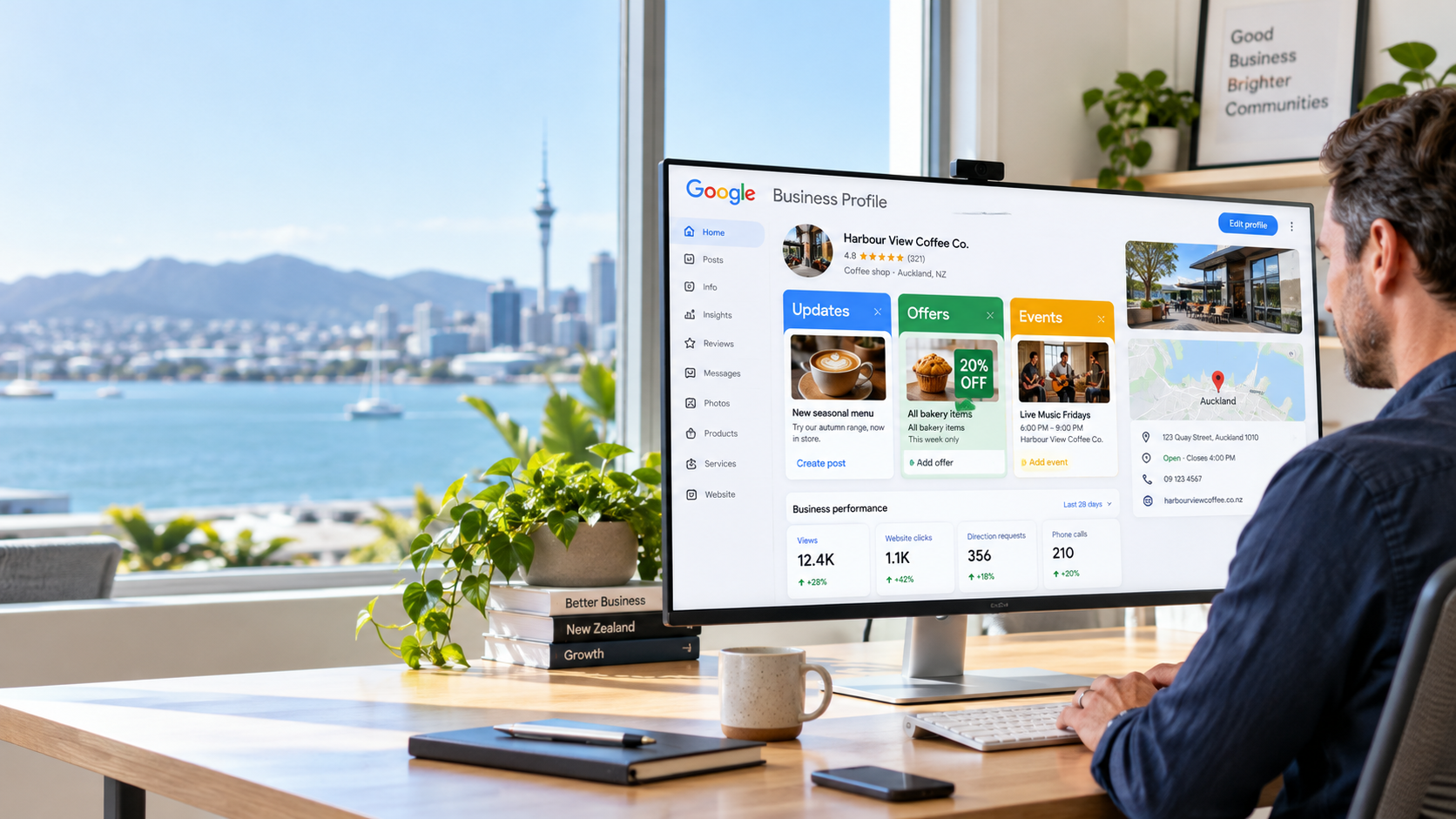
Should you use Google Business Profile posts to promote your business? Absolutely. They're free, relatively simple to create, and can help turn people who find your business on Google into paying customers. Yet I'm continually surprised by how many small business owners don't even realise this feature exists. Most businesses are familiar with posting on Facebook, Instagram or LinkedIn. They spend hours creating content, sharing photographs and trying to increase their followers. But there's another place you should seriously consider putting that content: your Google Business Profile. In this article, I'll explain three things you need to understand about Google Business Profile posts, how they compare with social media, and how you can use seasonal offers to generate more enquiries without paying for advertising. 1. Google Business Profile Posts vs Social Media Posts Let's start with something I regularly see when talking to small business owners. They've got someone looking after their social media, posting photographs, videos and updates on Facebook, Instagram, LinkedIn or TikTok. Sometimes it's a younger employee who's grown up using these platforms and understands how to create engaging content. And there's nothing necessarily wrong with that. But here's the question I always ask: Are those posts actually generating enquiries, phone calls and paying customers? Because there's a big difference between getting attention and getting business. Social Media Likes Don't Automatically Pay the Bills It's easy to get caught up in likes, followers and views. A business owner tells me they've got 1,000 Facebook followers, which sounds impressive. But that doesn't mean all 1,000 people see every post. Social platforms use algorithms to determine which content appears in people's feeds, and organic reach can vary considerably. If you want to reach more people, you may end up paying to boost your posts. There's also another consideration. Many of your social media followers already know your business. They're existing customers, friends, previous customers or people who've interacted with your content before. That's useful for staying in touch, but a major part of marketing is attracting people who don't already know you exist. And that's where Google becomes particularly interesting. Google Reaches People Who Are Already Searching Think about someone looking for a gutter cleaning company in Christchurch. They open Google and search for a local business offering that service. They aren't necessarily interested in following a gutter cleaning company on Facebook. They've got a problem they want solved. And if they find your Google Business Profile, there's an opportunity for them to see your latest updates, photographs or special offers. That's the important distinction. Social media can help create awareness, while Google Business Profile posts can help influence people who are already considering a business like yours. Social media posts can also appear in Google Search, so the difference isn't simply that one platform gets indexed and another doesn't. The bigger advantage of Google Business Profile posts is their placement within the business information customers may already be viewing. 2. The Three Types of Google Business Profile Posts Google provides three main types of posts, and understanding when to use each one is important. Updates: Show Customers What You Do Update posts are ideal for sharing information about your business and the services you provide. For example, if you're a painter, roofer, electrician or landscape gardener, you could publish: Before-and-after photographs of completed jobs. Examples of particular services. New products or equipment. Seasonal maintenance advice. Updates about recent projects. I particularly like before-and-after photographs because they immediately demonstrate what your business can achieve. If you're trying to attract more enquiries for a particular service, publish relevant examples of that work. You could also link to a page on your website explaining the service in more detail. This gives potential customers another reason to consider contacting you. Offers: Generate Business During Quieter Periods This is one of my favourite uses of Google Business Profile posts. Most service businesses experience quieter periods throughout the year. Rather than simply accepting a quiet month, why not create a series of special offers? For example, you could prepare four different offers, each running for seven days. Google allows you to specify start and end dates for offer posts, so customers can see when the promotion is valid. But there's something important to understand. Your offer has to be worth taking advantage of. A small discount that nobody finds particularly exciting probably won't generate much interest. You need to think about what would genuinely motivate someone to make an enquiry. Example: Gutter Cleaning and Roof Moss Treatment Imagine you operate a roof cleaning business. You've already got the equipment, ladders and staff needed to clean gutters and treat roofs. Instead of promoting each service separately, you could combine them. Week 1 offer: Book a full-price gutter cleaning service and receive 50% off a roof moss treatment. Week 2 offer: Book a roof moss treatment and receive 50% off gutter cleaning. Why might this work? Because you're already visiting the property. Your team is there, the equipment is there, and some of the travel and setup costs have already been covered. Adding the second service may cost considerably less than making an entirely separate visit. You're potentially increasing the average value of each job while giving customers a worthwhile incentive. Of course, you'll need to calculate your costs and margins to make sure the promotion is profitable. But this is the sort of offer I'd rather see than simply advertising 10% off everything. Events: Promote Something Happening on Specific Dates The third option is an event post. These are particularly useful when your business has something happening on a particular date. Examples might include an open day, product demonstration, workshop, community event or special information evening. You can include the event dates, photographs, a description and a relevant link. Event posts won't suit every service business, but when you've got something worth promoting, they're another useful option. 3. Google Business Profile Posts Are Free One of the biggest advantages is that Google doesn't charge you to publish these posts. You don't need an advertising budget. You don't need to pay to boost a post. And you don't need expensive software to create them. You can publish updates, offers and events through your Google Business Profile without a posting fee. That doesn't mean Google will automatically promote your offer to everyone searching for your services. Your post's visibility depends on where and how your Business Profile is displayed. But it does mean you can provide useful information to prospective customers without paying for each click or impression. For a small business working with a limited marketing budget, that's worth taking advantage of. How Often Should You Post on Google Business Profile? I'd suggest starting with one good-quality post each week. That could mean four posts per month, mixing useful updates with seasonal promotions. If you've got a particular service you want more enquiries for, consider creating additional posts featuring that service. For example, a roofing company might publish a before-and-after roof cleaning photograph, a seasonal moss treatment reminder, a customer project and a limited-time offer. The objective isn't simply to publish more content. It's to make sure the content is relevant to what your customers need. Google doesn't guarantee higher local rankings because you publish more frequently, so focus on quality, relevance and genuine customer value. How to Create Your First Google Business Profile Post The process is straightforward. Sign in to the Google account managing your Business Profile. Open your Google Business Profile. Select Posts, then Add post. Choose Update, Offer or Event. Add a clear description and relevant photograph. Include dates and terms where appropriate. Add a suitable website link or action button if available. Publish your post. For offers, make sure customers can easily understand what's included, how long the promotion runs and any conditions. If you're unsure whether other important parts of your profile are set up correctly, my Google Business Profile checklist covers the areas worth reviewing. Don't Just Chase Visibility — Turn It Into Customers There's one final point I want to make. Getting more visibility on Google Maps is useful, but visibility alone doesn't pay the bills. What really matters is what happens after somebody finds your business. Do they trust you? Are your reviews encouraging? Do your photographs demonstrate the quality of your work? Is it easy to contact you or make a booking? Your Google Business Profile posts can support that process by giving prospective customers more reasons to choose you. But they work best alongside an accurate profile, relevant services, strong reviews and a useful website. If you'd like to identify opportunities to improve your local visibility and enquiries, you can start with a free Google Business Profile audit . Conclusion: Should You Use Google Business Profile Posts? Yes. I would encourage most local service businesses to use them. They're free to publish, allow you to promote seasonal offers and give customers more information about what your business provides. Start by creating one useful post each week. Use before-and-after photographs, showcase the services you want more work for, and experiment with relevant seasonal offers. Most importantly, judge the results by enquiries, bookings and customers — not simply how many views a post receives. Because the real purpose of marketing isn't to collect likes and followers. It's to make the phone ring and bring more business through the door.